You’ve watched jaw-dropping aerial footage on social media and finally decided: it’s time to get your own drone. But staring at options ranging from $199 palm-sized flyers to $4,700 professional rigs, you realize how to pick a drone isn’t as simple as clicking “add to cart.” Most beginners overspend on features they’ll never use or buy underpowered models that frustrate within weeks. The truth? Your perfect drone depends entirely on three factors: what you’ll actually do with it, where you’ll fly it, and what you’re willing to maintain. This guide cuts through spec sheet noise to show exactly which features matter for your real-world needs—and which are marketing traps.
Pinpoint Your Exact Flying Purpose (No Guessing)
Photography Drone? Racing Machine? Or Just Backyard Fun?
Stop scrolling through drones until you answer this: What specific shots or flights will you attempt within the first month? A wedding photographer needs 4K/60fps capability and 30+ minute flight times to capture sunset ceremonies. A racing enthusiast requires 60+ mph speed and First-Person View (FPV) compatibility, even if camera specs are mediocre. For kids or casual indoor flying, prioritize propeller guards and crash resistance over cinematic video—most toy drones under $150 become frustrating paperweights within weeks due to 7-9 minute flight times and zero obstacle avoidance. Be brutally honest: if you won’t edit footage, skip 6K video models.
Match Features to Your Actual Skill Level
Beginners often waste $1,000+ on pro features they can’t utilize. If you’ve never flown RC before, a DJI Mini 3 ($419) with sub-250g weight (no FAA registration) and 38-minute flights teaches fundamentals without overwhelming complexity. Professionals shooting real estate need DJI Air 3S-level dual cameras and 360° obstacle sensing to navigate tight spaces safely. Critical mistake to avoid: Buying based on “future needs.” You’ll upgrade faster once you know exactly which features you actually use.
Don’t Waste Money on Camera Specs You Won’t Use
Resolution Reality: What Actually Matters
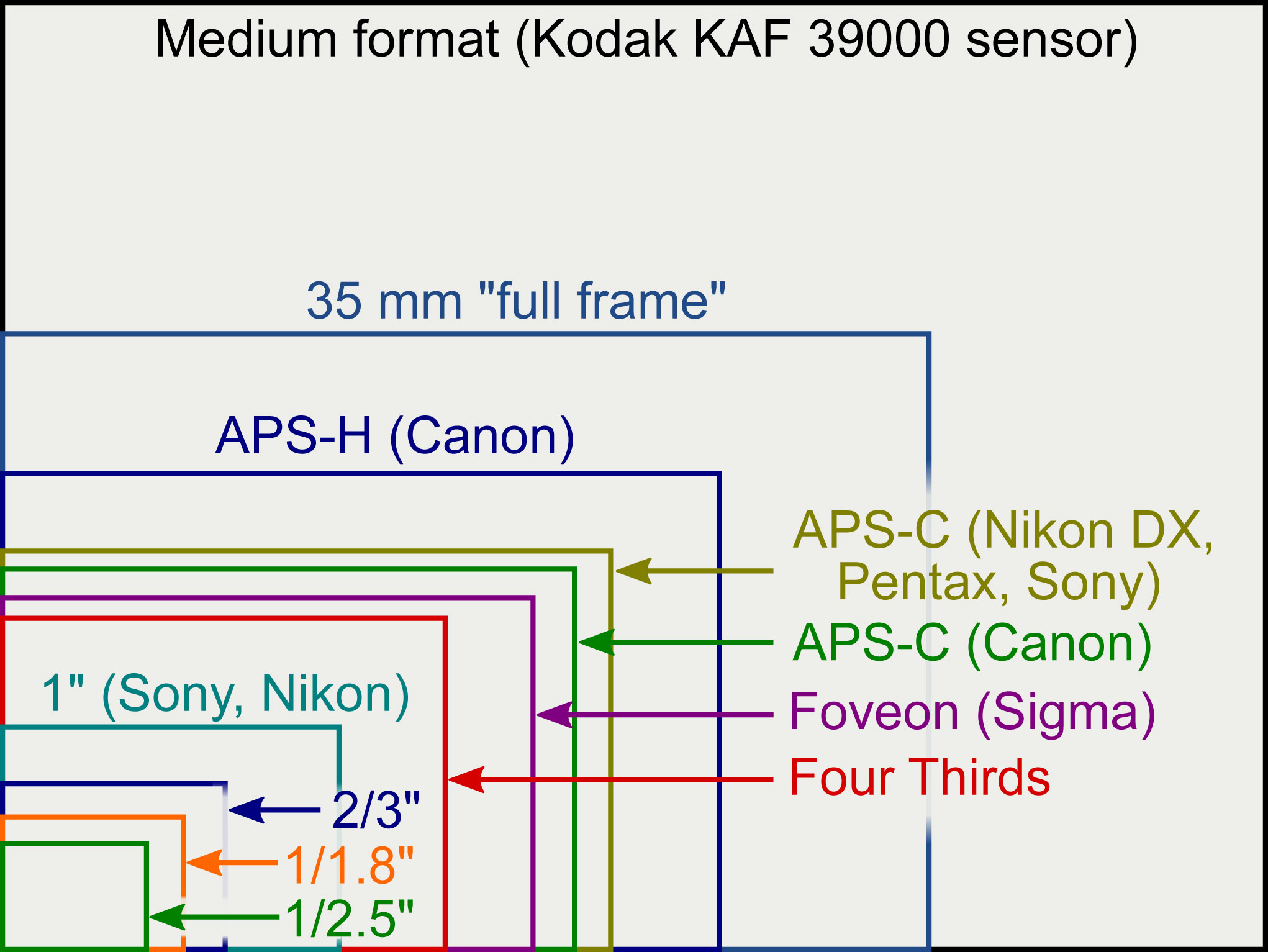
Forget “8K” hype—real-world usability starts at 1080p minimum. Anything lower (like budget drones under $250) delivers grainy, unshareable footage. For social media content, 2.7K-4K video with 12-48MP photos hits the sweet spot: crisp detail without massive storage demands. Only invest in 5.2K+ (like DJI Mavic 3 Pro’s 4/3 CMOS sensor) if you’re printing large-format photos or need extreme cropping flexibility. Pro tip: Sensor size trumps megapixels. A 1-inch sensor in DJI Air 3S captures usable dusk footage where smaller sensors (like on DJI Neo) produce muddy darkness.
Stabilization: Gimbal vs Digital Disaster
This is non-negotiable: always choose mechanical gimbal stabilization. Digital stabilization alone creates the “jello effect”—wobbly, nausea-inducing footage that ruins otherwise great shots. A 3-axis gimbal keeps your camera rock-steady even in 15mph winds. Budget models under $500 now include basic gimbals; never settle for digital-only stabilization if you care about footage quality. Check for “gimbal lock” mode during transport—essential for protecting the mechanism in your bag.
Flight Performance Truths They Don’t Advertise
Battery Life: Subtract 30% From Advertised Specs
DJI claims “38 minutes” for the Mini 3? Real-world use delivers 28-30 minutes with moderate wind. Always budget for two spare batteries ($50-150 each)—they double your actual flying time. Racing drones (like BetaFPV Cetus X) last just 5 minutes per battery, requiring constant swaps. Toy drones often omit battery specs entirely; assume 7-9 minutes max. Warning: Flight time plummets in cold weather (<50°F) or high winds—factor this into your purchase.
Range: FAA Rules Make “13km” Claims Meaningless
The FAA requires maintaining visual line of sight, making maximum range claims irrelevant for legal flying. Practical range is 1-2 miles for 99% of users. Focus instead on signal reliability: DJI’s O3+ and Autel’s Evo systems maintain stable connections at 800 feet where cheaper brands drop signals. Losing connection mid-flight (due to weak signal) crashes more drones than limited range—prioritize proven transmission systems over distance numbers.
Legal Compliance: Skip the Headaches
Sub-250g: Your Secret Legal Advantage
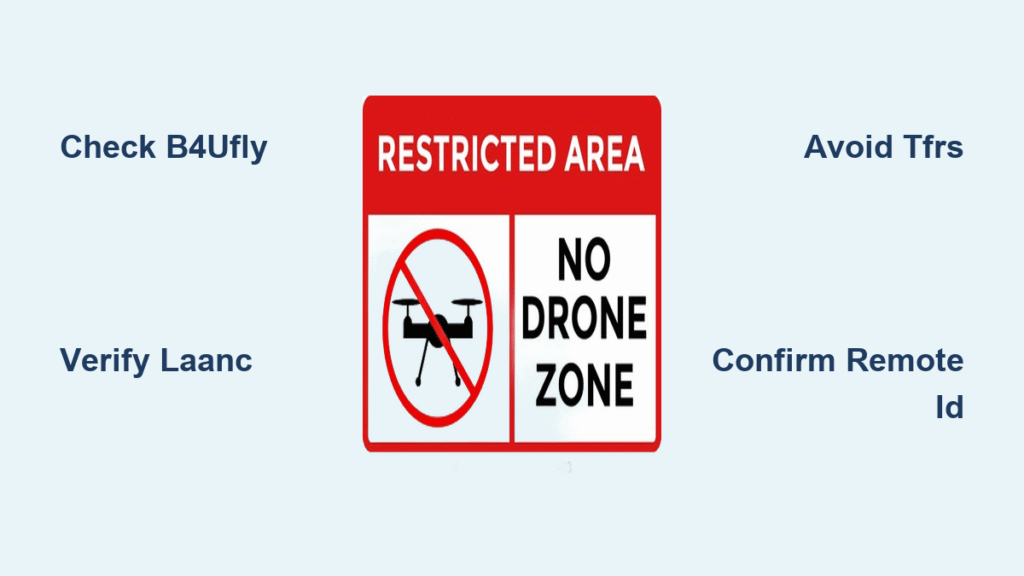
Drones under 250g (DJI Mini 3, Potensic Atom 2) skip FAA registration entirely—ideal for travelers and casual users. But beware: These lightweight models struggle in winds above 20 mph. Heavier drones (250g+) handle turbulence better but require $5 registration and the free TRUST test. 2024 update: Remote ID is now mandatory for all new drones—but most models include it automatically. Verify this if buying used.
Commercial vs. Recreational: Don’t Guess
Flying for fun? Complete the free TRUST test and register drones over 250g. Flying for profit? You need Part 107 certification ($175 exam). Real estate photographers charge $150-400/hour—but without certification, you risk $1,414 fines per violation. Download the B4UFLY app to instantly check no-fly zones before takeoff.
Budget Breakdown: What’s Actually Worth It

Budget Tier ($199-$459): Avoid the Toy Trap
DJI Neo ($199) fits in your palm but delivers just 18-minute flights—insufficient for meaningful exploration. Potensic Atom offers 32-minute flights and 4K video at $299, but lacks obstacle avoidance. Hard truth: Drones under $300 skip critical safety features. Only consider this tier for supervised kids’ indoor use.
Mid-Range Sweet Spot ($419-$1,599): Where Value Lives
DJI Mini 3 ($419) remains the best first drone: sub-250g weight, 38-minute flights, and reliable obstacle sensing. DJI Air 3S ($1,099) adds dual cameras and 45-minute flight time—essential for serious creators. Must budget $200 extra for two spare batteries, ND filters, and a carrying case. This tier delivers 90% of pro capability at half the price.
Premium Tier ($2,197+): Only for Professionals
Mavic 3 Pro’s triple-camera system justifies its $2,197 price tag for commercial cinematographers—but is overkill for 95% of users. Hidden cost: Part 107 certification and liability insurance. Skip unless you’re earning drone income.
Accessories That Actually Matter (Skip the Rest)

Essential Trio: Batteries, Case, Memory Cards
Spare batteries are non-negotiable—nothing kills enthusiasm like waiting 90 minutes between flights. Foam-padded cases ($30+) prevent $2,000 disasters during travel. Two 64GB microSD cards ensure you never run out of space during golden hour. Pro tip: Format cards in-camera before every flight to prevent corruption.
Money Wasters to Avoid Immediately
Range boosters violate FAA line-of-sight rules and rarely work as advertised. Propeller guards reduce flight time by 10-15% and aren’t needed once you master basic piloting. Skip ND filters until you understand manual exposure—they’re useless if you can’t fly steadily.
Smart Buying Strategy: Where and How
New vs. Used: The Hidden Risks
Manufacturer-refurbished drones (from DJI/B&H) include warranty and firmware updates—worth the 10-15% premium over used marketplaces. Red flags in used drones: Scratched camera gimbals (causes shaky footage), bent landing gear, or mismatched propellers (indicates crashes). Never buy used without inspecting firmware version—it must support Remote ID.
Where to Buy: Match Channel to Your Needs
- Amazon: Best for beginners (easy returns within 30 days)
- B&H/Adorama: Expert advice for complex setups (like dual-camera rigs)
- Manufacturer Direct: Critical for commercial buyers needing warranty proof
Final Decision Framework: Pick Your Drone in 60 Seconds
Use This Quick Selection Matrix
- First drone ever: DJI Mini 3 ($419) + 2 spare batteries
- Travel photography: DJI Air 3S ($1,099) + ND filter kit
- Teens/kids: Potensic Atom 2 ($299) + prop guards (indoor only)
- Real estate/commercial: Mavic 3 Pro ($2,197) + Part 107 study guide
Pre-Purchase Checklist (Do This Before Clicking Buy)
- [ ] Define exact use case (“wedding photography,” not “maybe videos”)
- [ ] Calculate total cost (drone + 2 batteries + case + cards)
- [ ] Verify FAA registration requirements based on weight
- [ ] Check local laws (some parks ban all drones)
- [ ] Confirm propeller/motor replacement part costs
Bottom line: The perfect drone matches your actual flying habits—not YouTube reviews or spec sheet fantasies. Start with the cheapest model that safely covers your core need (DJI Mini 3 for most beginners). You’ll upgrade faster once you know exactly which features you actually use—and avoid the $1,200 mistake 63% of new pilots make by overspending. Your wallet (and sanity) will thank you when you’re actually flying instead of wrestling with unnecessary complexity.