Imagine strapping on goggles and instantly feeling the wind rush past as you barrel roll through a forest canopy or race through neon-lit obstacles at 120 mph. This isn’t virtual reality—it’s the magic of FPV (First-Person View) drone technology, where you see exactly what your aircraft sees in real time. Unlike traditional remote-controlled flight where you watch from the ground, FPV systems create an immersive cockpit experience that has transformed drone racing, cinematic filming, and recreational flying.
The question “how does FPV drone work” puzzles many newcomers, but the answer reveals a remarkable symphony of electronics operating in perfect sync. From the moment your thumb moves the control stick to the instant video appears in your goggles, this entire process completes in less than 40 milliseconds—faster than human reaction time. Understanding these mechanics isn’t just technical trivia; it’s essential knowledge for troubleshooting video dropouts, optimizing performance, and building your own drone.
Radio Control System: From Stick Movement to Aircraft Response
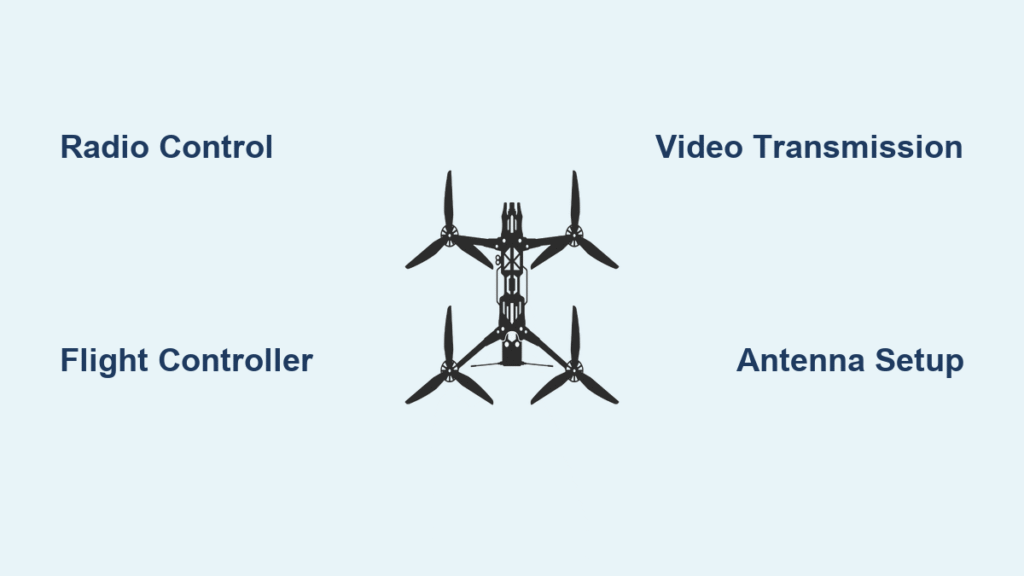
Your journey begins with the transmitter—the handheld controller that translates your physical inputs into wireless signals. Modern FPV transmitters like the Radiomaster TX16S use Hall-effect gimbals that detect stick position without physical contact, providing precision that lasts through thousands of flights. When you push the right stick forward to initiate a dive, the transmitter encodes this command into data packets sent via 2.4 GHz or 900 MHz radio waves.
ExpressLRS vs. Crossfire: Which Protocol Wins?
– ExpressLRS 2.4 GHz: Delivers 500-1000 Hz update rates ideal for racing with minimal latency
– ExpressLRS 900 MHz: Offers 200 Hz refresh but dramatically extends range up to 20 km
– TBS Crossfire: Provides reliable 150 Hz control with proven 40+ km range for long-distance missions
Inside your drone, the receiver decodes these signals into commands your flight controller understands. Proper failsafe configuration is critical—set your drone to enter “drop mode” after just one second of signal loss to prevent dangerous flyaways. Always test this before your first flight by powering off your transmitter while the drone is safely on the ground.
Flight Controller: The Drone’s Nervous System
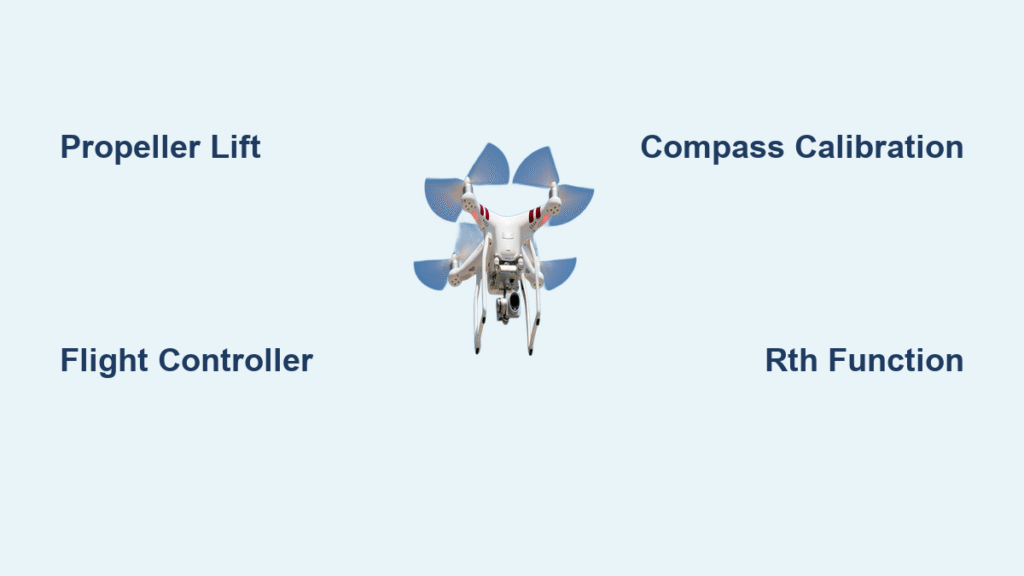
Your flight controller processes inputs 8,000 times per second, making it the drone’s central nervous system. This tiny circuit board houses an IMU (Inertial Measurement Unit) containing gyroscopes and accelerometers that detect rotation rates and linear acceleration. When you command a roll, the flight controller compares your input with real-time sensor data to calculate precise motor speeds.
PID Tuning: The Secret to Smooth Flight
– Proportional (P): Controls immediate reaction strength to your stick movements
– Integral (I): Corrects persistent drift caused by wind or unbalanced props
– Derivative (D): Dampens oscillations that occur during aggressive maneuvers
Most pilots start with Betaflight’s default PID values (P42, I75, D40 for 5-inch freestyle quads) then refine using Blackbox flight logs. A well-tuned drone feels like an extension of your body, responding instantly without wobbling or overcorrecting.
FPV Video Transmission: Your In-Flight Eyes
While control signals keep your drone airborne, the FPV camera and video transmitter deliver your visual perspective. Analog systems remain popular for racing due to their sub-10 ms latency, while digital options like DJI O3 provide stunning 1080p60 footage with just 10 ms delay.
Camera Selection Guide
– 1.8 mm lens: Ultra-wide 150° field of view for freestyle and proximity flying
– 2.1 mm lens: Balanced perspective for racing and general use
– WDR (Wide Dynamic Range): Essential for maintaining visibility when flying between bright sky and dark terrain
Your video transmitter (VTX) broadcasts this footage on 5.8 GHz frequencies with power ranging from 25 mW to 800 mW. For competition flying, use RaceBand channels to avoid interference from other pilots. SmartAudio technology lets you change channels directly from your transmitter menu—no more unscrewing VTXs between flights.
Antenna Physics: Why Your Signal Stays Strong
The right antenna configuration makes or breaks your FPV experience. Circular polarized antennas (RHCP or LHCP) reject reflected signals that cause “video snow” in urban environments. For racing, use omnidirectional RHCP antennas on both drone and goggles to maintain signal during rapid orientation changes.
Pro Tip: Never fly with mismatched polarization—RHCP on your drone requires RHCP on your goggles. A single LHCP antenna in your system will cause severe signal loss. For long-range flights beyond 1 km, add a directional patch antenna to your goggles for 8-14 dBi gain.
Power System: The Energy Behind the Thrust
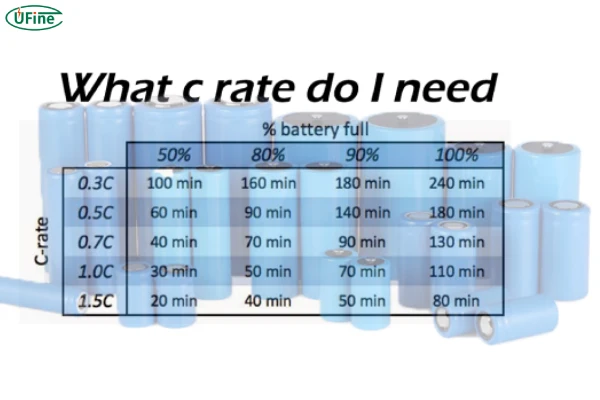
FPV drones run on specialized LiPo batteries that deliver massive current bursts during aggressive maneuvers. A typical 5-inch freestyle quad uses 4S 1300mAh 100C batteries, meaning it can theoretically supply 130 amps continuously (1.3Ah × 100C). The “C” rating indicates discharge capability—higher C ratings mean better performance during hard acceleration.
Battery Safety Checklist
– Always charge on fireproof surface using dedicated LiPo charger
– Never leave charging unattended—set timers for 1.5x expected charge time
– Inspect for puffing after crashes—swollen batteries are fire hazards
– Store at 3.8V per cell when not in use for more than 24 hours
Your Power Distribution Board (PDB) routes this power while providing stable 5V/9V outputs for electronics. Current sensors monitor amp draw, feeding battery percentage data to your On-Screen Display (OSD) so you never run out of power mid-flight.
Flight Modes: Matching Control to Your Skill Level
Different flight modes transform how your drone responds to inputs:
– Angle mode limits tilt angles and auto-levels when you release sticks—perfect for beginners learning to hover
– Horizon mode allows flips but returns to level flight when sticks are centered—ideal for intermediate pilots
– Acro mode provides pure manual control with no self-leveling—required for racing and freestyle
Critical Safety Feature: GPS Rescue mode automatically climbs to a safe altitude then flies back to home when signal is lost—essential for long-range flights beyond visual line of sight. Always test this feature in an open area before relying on it.
Troubleshooting Common FPV Problems
Video Snow at Distance?
– Switch to higher VTX power (400-800 mW)
– Ensure matching antenna polarization
– Check for physical obstructions between drone and pilot
Oscillations During Flight?
– Lower D-term values in PID tuning
– Enable RPM filtering in Betaflight
– Check for loose propellers or motor mounts
Short Flight Times?
– Verify propeller size matches motor KV rating
– Switch to lower KV motors for longer flight
– Consider Li-ion batteries for long-range missions
Maintenance Essentials for Peak Performance
After every flight, inspect your drone for these critical items:
– Propeller damage: Even small nicks create vibration that stresses components
– Loose screws: Vibration gradually works hardware free—tighten all mounts
– Motor temperature: Excessive heat indicates over-propping or electrical issues
– Antenna connections: Ensure VTX pigtail is fully seated in MMCX connector
For firmware updates, refresh your flight controller, ESCs, and radio modules quarterly. The FPV ecosystem evolves rapidly—new features and stability improvements could transform your flying experience.
Understanding how FPV drones work transforms you from a passive operator to an active system engineer. Each component—from the gyro measuring rotation rates to the video transmitter encoding pixels—works in perfect harmony to deliver that magical sensation of flight. This knowledge enables smarter purchasing decisions, faster troubleshooting when problems arise, and ultimately, more confident flying. Whether you’re fixing video dropouts or building your first custom drone, mastering these fundamentals puts you in control of your FPV experience.